

Orders
Invoices and tracking links
Download or share an order's invoice, and send customers a link where they can follow their order.
Invoice
On the order, click Download invoice and choose Download PDF, Download image or Download text. The image is handy for sending in Messenger.
To print a packing label or invoice for the parcel, see Print labels and invoices.
Tracking link
Every order has a tracking link. The customer opens it without signing in and sees the order's progress, items, total and delivery details. Their phone number is partly hidden. See The customer's tracking page.
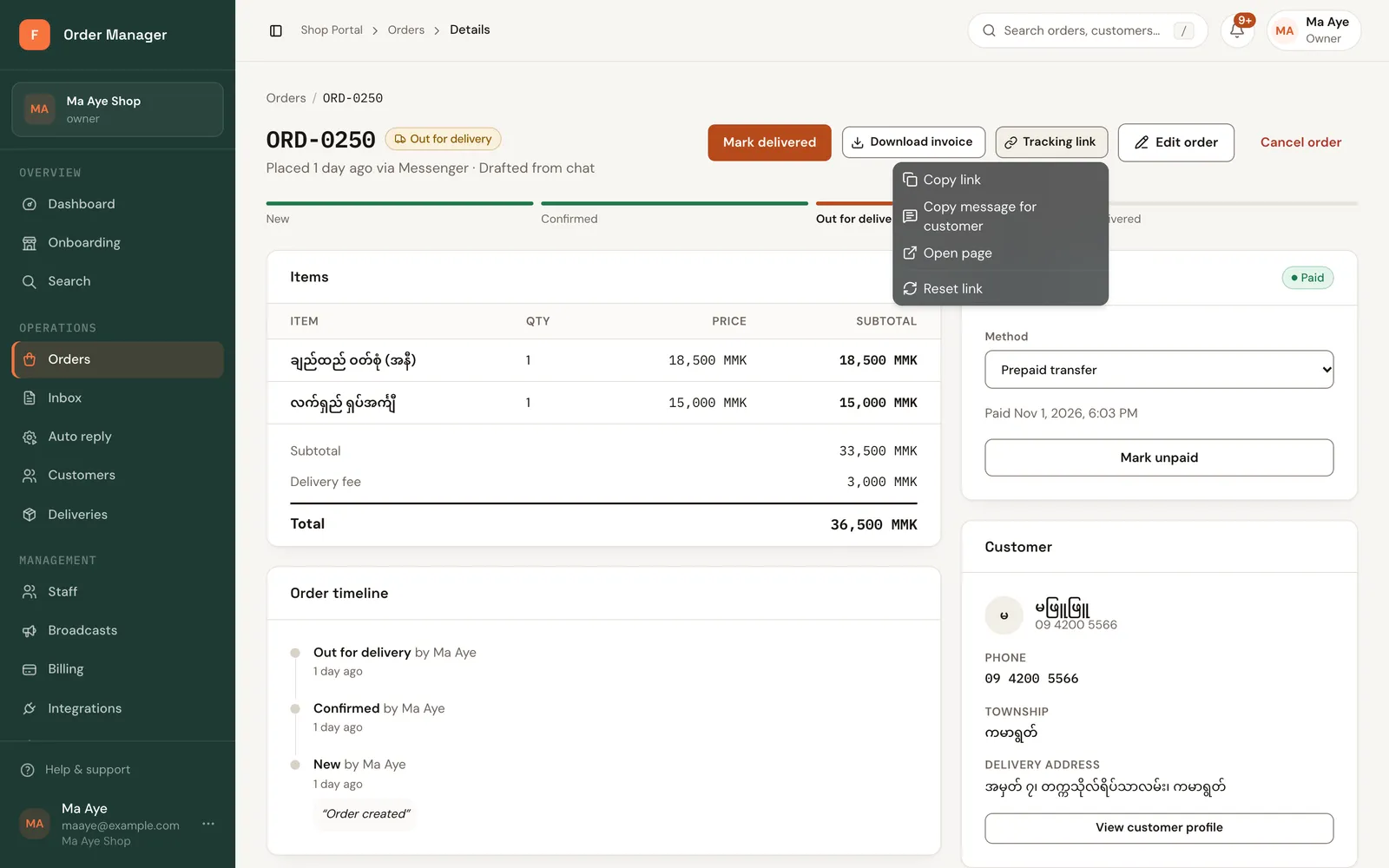
On the order, click Tracking link:
- Copy link: copies just the link.
- Copy message for customer: copies a ready message, like "Hi Ma Hla, you can follow your order ORD-0012 here: …".
- Open page: opens the page the customer sees.
- Reset link: makes a new link. The old one stops working at once.
FOM also adds the link to the automatic "confirmed" and "out for delivery" messages, and you can put {tracking_link} in a reply template.