

Make an order from a chat
Pick the customer's messages and let FOM draft the order with name, phone, address, items and prices.
Customers often spread an order over several messages. FOM reads them and drafts one order for you to check.
Before you start
You need a role that can manage orders, and a plan that includes drafting orders from chat (the Shop plan and the free trial both do).
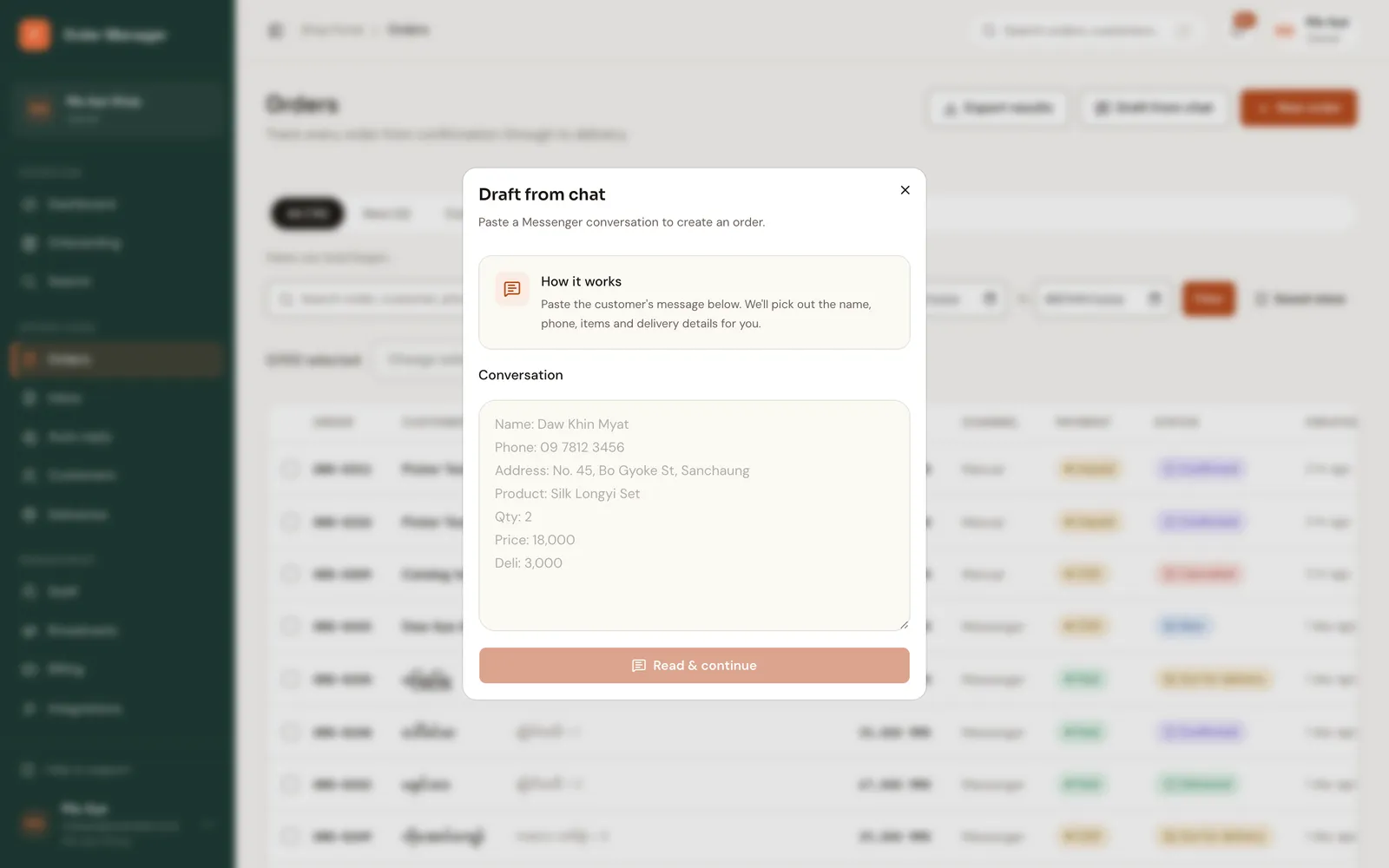
In the Inbox, open the chat and click Create order draft. You can also open Draft from chat on the dashboard and paste the conversation.
Choose the messages that hold the order, or paste the text, then click Read selected messages (or Read message).
Check the Order draft. It's marked Ready to create or Needs review. Fill in anything FOM left blank.
Click Create order from draft.
Always check the draft
FOM leaves anything it isn't sure about blank rather than guessing, but read the items and prices before saving. Matched products show Matched: with the catalog name.
AI order draft (web)
Orders → AI order draft reads one pasted message. Paste it into Order message, click Extract draft, tick the box to confirm you've reviewed it, then create the order.
Create an order
Enter an order by hand, find a returning customer by phone, pick products from your catalog, and save.
Live comment orders
Take orders from comments on your Page posts and Lives. FOM makes one card per buyer, asks each buyer for phone and address in Messenger, and you confirm the cards into orders.