

Choose or change your plan
Pick monthly or yearly, apply a promotion code, see the exact price, and create the invoice to pay.
Not available on iPhone and iPad
Before you start
Billing needs the Owner role. Others see "Billing access is restricted".
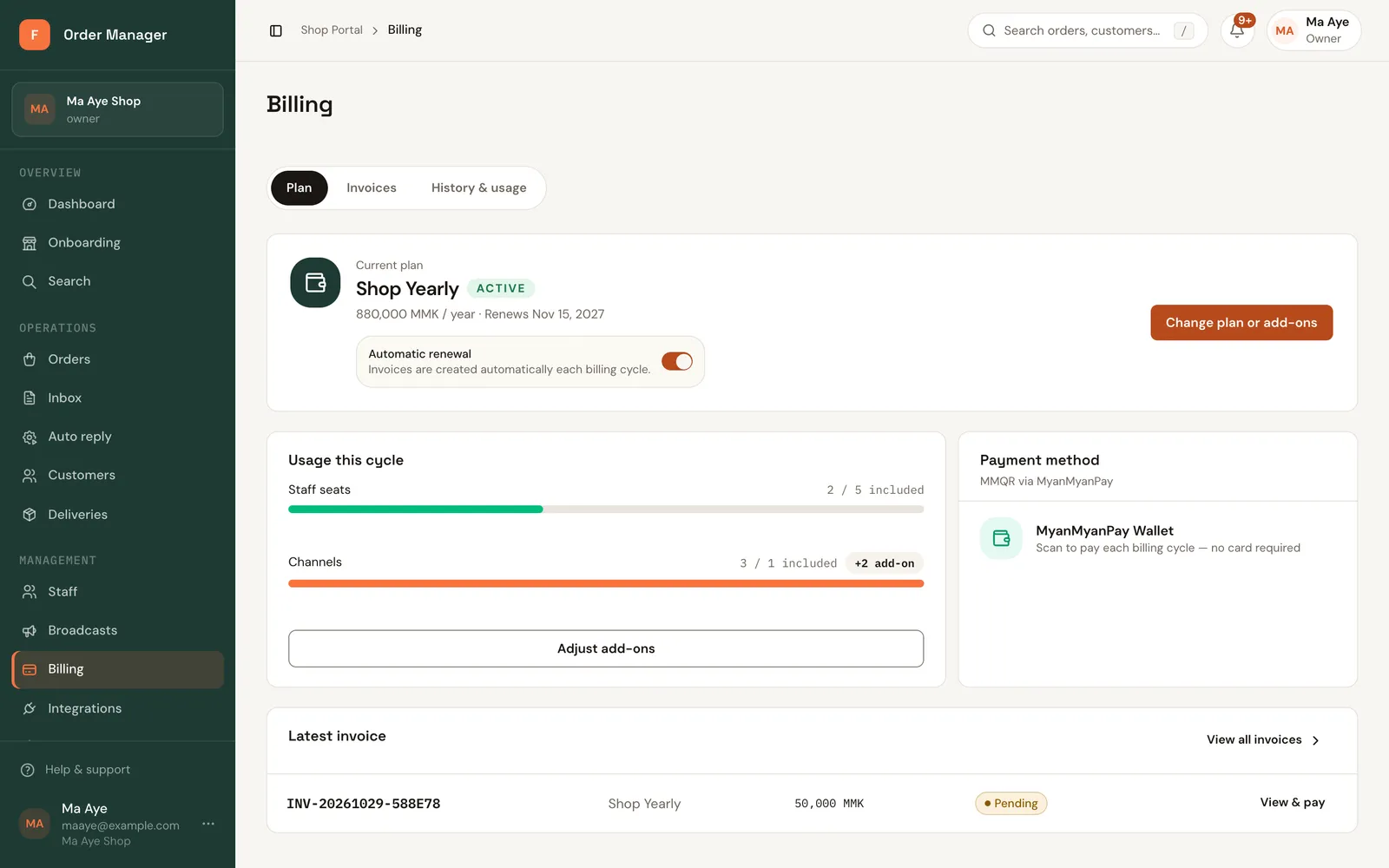
Open Billing in the sidebar. The Plan tab shows your current plan and when it ends.
Click Choose first plan (after the trial) or Change plan or add-ons.
Under Billing period, choose Monthly or Yearly (2 months free), then pick the plan.
If you have a promotion code, enter it in Promotion code and click Apply.
Check the Summary. It shows the exact Total to pay before anything is created.
Click Continue, then Create invoice. Nothing changes until the invoice is paid; next, pay with MMQR.
Upgrades and downgrades
- Upgrading (or switching monthly to yearly) starts when you pay. Unused days on your current plan are credited.
- Downgrading starts at your next period, with nothing to pay now. The button says Save change.
Automatic renewal
With Automatic renewal on, FOM creates your renewal invoice 3 days before the period ends, so you can pay in time. It never charges you by itself; you still pay the invoice.
The free trial
The trial lasts 7 days. In the last 3 days a banner shows Trial ends in N days with Choose a plan. The trial has no messaging channels, staff or exports. See Plans and pricing.