

Deliveries
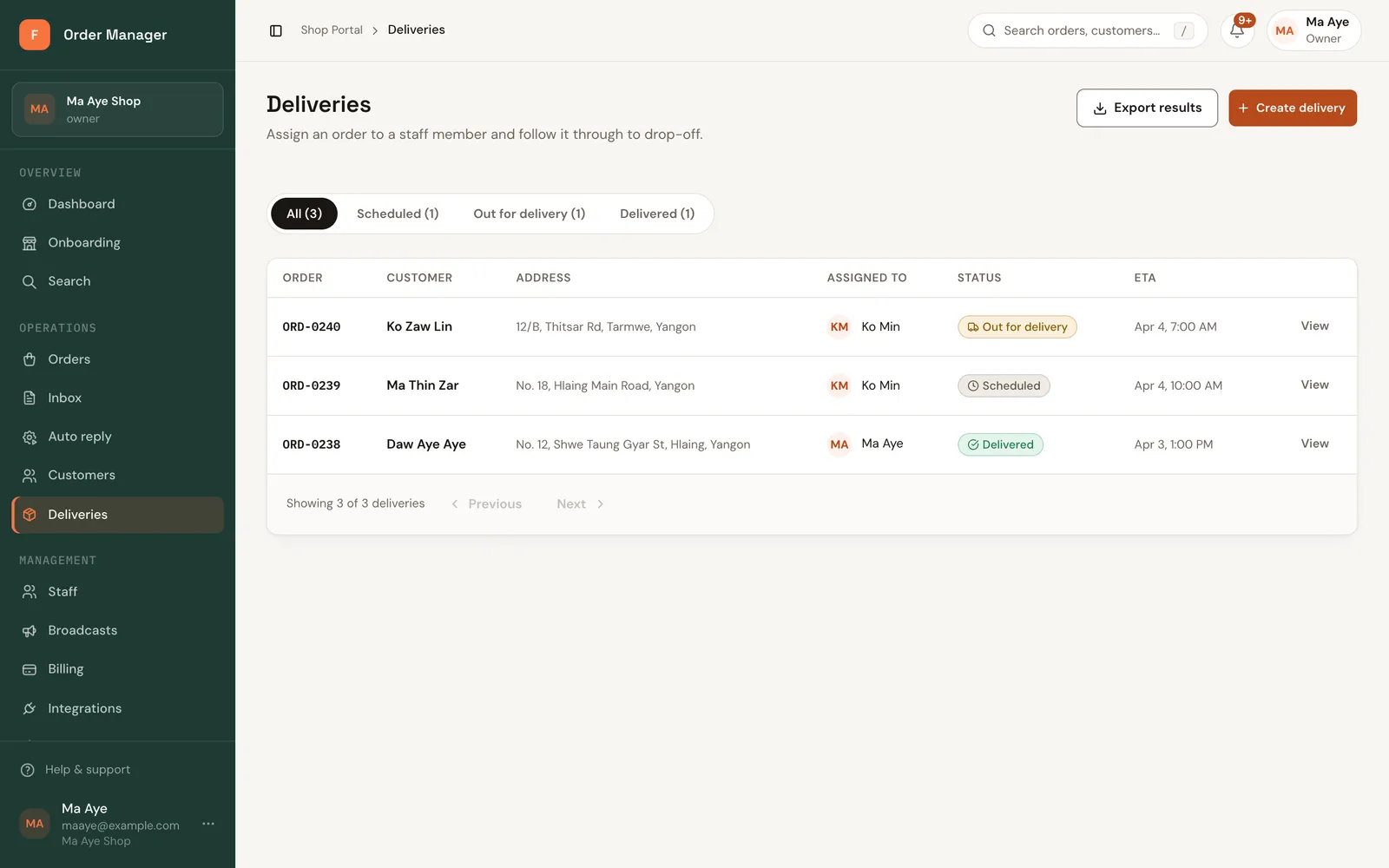
Assign confirmed orders to a rider or staff member, schedule them, and follow them to delivery.
A delivery records who is taking an order, where, and when.
Before you start
Managing deliveries needs the Owner, Manager or Dispatcher role. Riders must be active members of your shop.
Open Deliveries and click Create delivery.
Under Order, Select a confirmed order.
Assign rider: pick the staff member delivering it.
Check the Delivery fee and Delivery address, and set Scheduled at if you plan a time.
Click Create delivery.
Delivery status
| Delivery | Order |
|---|---|
| Scheduled | Confirmed |
| Out for delivery | Out for delivery |
| Delivered | Delivered |
Moving the delivery forward moves the order too, and a delivery can't go backwards. To finish, set the status to Delivered, or click Mark delivered on the order.
The list shows who each delivery is Assigned to; ones without a rider show Unassigned.
Good to know
- One delivery per order, and not for cancelled orders.
- For COD orders, the cash riders collect is tracked in COD and rider cash.
- The address is saved with the delivery. Changing the order's address later doesn't change it.